

Disclosure: This article may contain affiliate links. If you buy through them, GrandCollector may earn a commission at no extra cost to you.
A LEGO minifigure can be genuine and still be assembled from swapped, replaced, or mixed parts. Before buying, inspect the torso, legs, head, headgear, and accessories as separate components instead of treating the figure as one guaranteed original package. Look for differences in color, printing, molding, fit, and wear, then ask the seller direct questions. Those clues justify caution, but none proves a replacement part by itself.
Key takeaways
- Why replacement-part checks matter
- What buyers usually get wrong
- How to compare the components
Why replacement-part checks matter
Many second-hand minifigures are handled, disassembled, rebuilt, and combined with parts from other figures. That is normal in LEGO collecting. The problem starts when a mixed assembly is presented as though every component belongs together.
The distinction matters because a buyer may be looking for a particular printed torso, head, helmet, or accessory. A figure that looks close at a glance can turn out to be a different assembly once each component is examined. The useful question is, “Is this LEGO, and do these parts belong together in the way the listing suggests?”
This approach is more useful than chasing dramatic claims about rare minifigures. It gives the buyer a clear way to assess the available evidence before money changes hands.
What buyers usually get wrong
The most common mistake is judging the minifigure from one front-facing photograph. That view can hide a different back print, a color mismatch between the torso and legs, a substituted headgear piece, or an accessory added later.
Another mistake is assuming that a complete-looking figure must be an original matching assembly. A seller may have assembled it from separately acquired components without intending to mislead anyone. The listing can still be incomplete if it does not explain that history.
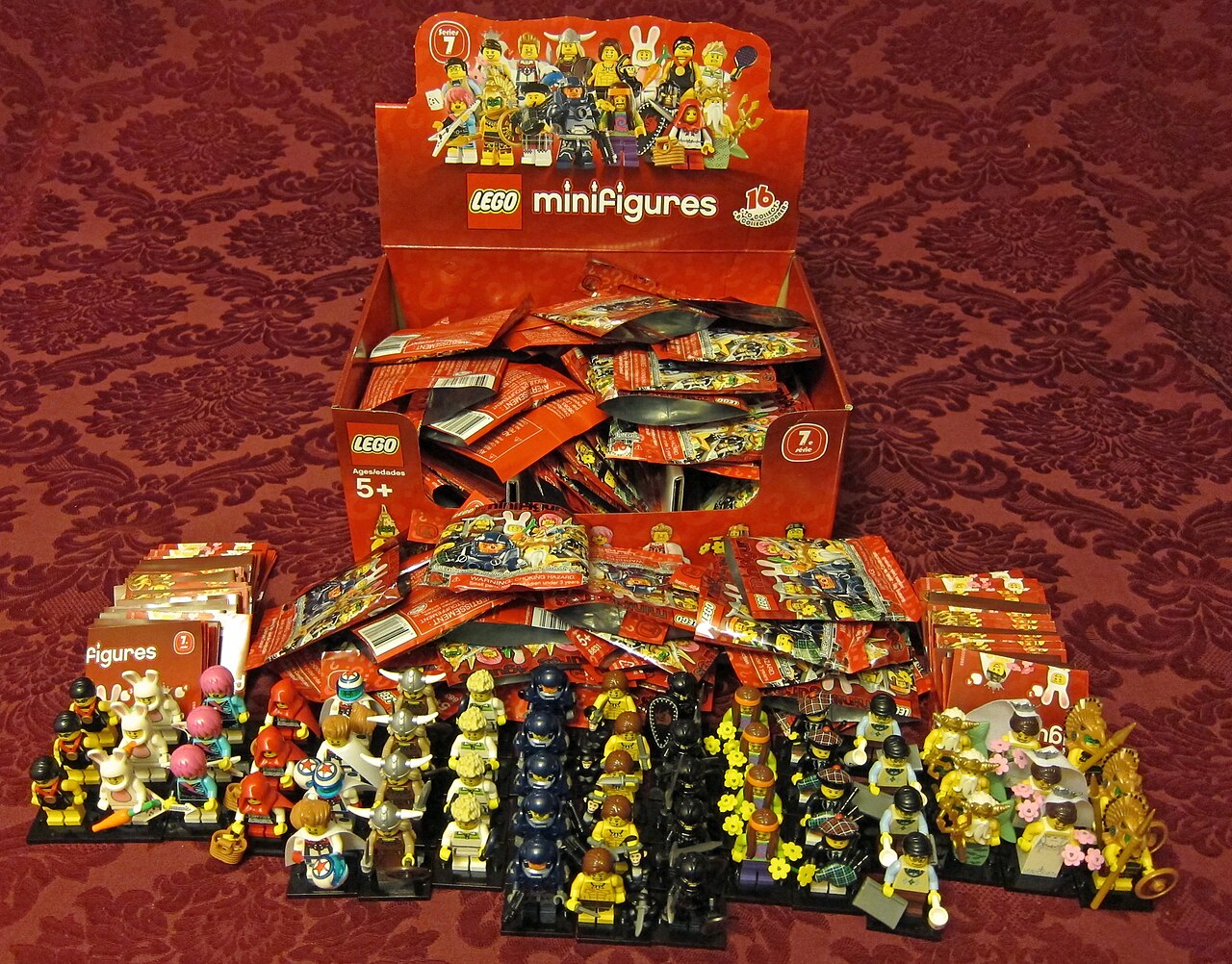
Packaging and a parts inventory also need sensible limits. They can provide useful context, but they do not prove that every component in a resale minifigure belongs to the original assembly. Treat them as supporting information and inspect the actual figure.
How to compare the components
Start with a simple component-by-component inventory. Write down what is present, then compare the parts with clear reference images from a LEGO parts or minifigure database. BrickLink and Brickset are useful starting points for this kind of comparison. [1]
- Torso: Compare the front and back printing, arm color, hand color, neck area, and the way the print sits against the legs.
- Legs: Check the base color, hip color, side printing, front printing, and any visible wear around the waist.
- Head: Inspect every visible face, including alternate expressions and the area hidden by headgear.
- Headgear: Compare the shape, color, underside, attachment points, and fit. A similar-looking helmet or hairpiece may be a different part.
- Accessories: List weapons, tools, capes, equipment, and handheld items separately. Confirm that the item shown is the same type and color as the reference.
Use several photographs when possible. A front view is only one piece of evidence. Back, side, top, and underside views can reveal differences that disappear under bright lighting or a low-resolution camera.
For a narrower accessory-focused checklist, see GrandCollector’s guide to LEGO minifigure accessories and common replacement parts.
Authentication and condition checks
A rechargeable 10x loupe helps compare printing and molding details against reference images.
Differences in color, printing, molding, fit, or wear are reasons to investigate, not automatic proof that a part was replaced. Lighting can change how colors appear. Production variation can affect small details. Age and handling can also make two parts from the same general period look less alike than expected.
Look for patterns instead of relying on one isolated clue. A torso with noticeably different wear from the legs deserves a closer look. A headgear piece that sits loosely may be a substitute, but it may also be damaged or simply designed with a different fit. Compare apparently misaligned printing with reliable reference photographs before drawing a conclusion.
Inspect the connection points without forcing anything. Cracks, stress marks, discoloration, and heavy rubbing affect the condition of the individual part. A replacement component is not automatically bad, and an original component is not automatically clean. Record what is visible and keep condition observations separate from assumptions about the figure’s history.
Questions to ask before buying
A good listing should give you enough information to make a measured decision. If important views are missing, ask for them before committing. Keep the questions specific and easy for the seller to answer:
- Were any components replaced, added, or assembled separately?
- Can you provide clear front, back, side, top, and underside photographs?
- Are the headgear, accessories, and cape included in the photographed item?
- Are there cracks, loose connections, fading, rubbing, or missing printing?
- Is the photograph of the exact minifigure being sold?
Pay attention to the quality of the response, not just the answer you hoped to receive. A seller who says, “I don’t know, I bought it this way,” may be offering an honest unknown. That is different from a confident statement unsupported by useful photographs.
Buying and holding considerations
For figures you keep, a acrylic display case keeps assembled minifigures visible and dust-free.
Decide what matters most for your collection before comparing listings. You may want a complete matching assembly, a display figure, a parts donor, or a specific torso and head combination. These are different purchases and should be assessed differently.
If the figure is intended for display, consistent color, clean printing, and sound connections may matter more than an uncertain story about where each part came from. If you are building a documented collection, component identity and provenance deserve more attention. If you are buying for later resale, keep a record of the photographs, seller description, and any disclosure about replaced parts. That record helps you describe the item accurately later.
Store loose components separately from dusty or damaged parts. Small accessories can disappear into mixed containers, and repeated handling can add wear. A labeled compartment or small bag makes it easier to preserve the assembly you received and avoid accidental swaps.
Red flags in a minifigure listing
None of these signs settles the question alone, but several together should slow the purchase:
- Only one cropped front photograph is provided.
- The seller avoids showing the back, underside, or connection points.
- Torso, legs, head, and accessories are described as one vague bundle.
- The listing uses a database image instead of a photograph of the actual figure.
- Parts with visibly different wear are presented as a guaranteed matching original assembly.
- The seller refuses reasonable questions about replacements or assembly history.
When useful information is withheld, treat the purchase as an information-risk decision. Do not turn missing evidence into certainty. Walking away is often the cleaner collector choice than trying to reconstruct a figure’s history after the purchase.
Final practical advice
Before buying, list the minifigure’s visible parts, compare each one with a dependable reference, and ask for photographs that cover the whole assembly. Check color, printing, molding, fit, and wear, while keeping an open mind about lighting, production variation, age, and handling.
The safest conclusion is often a modest one: the figure appears consistent with the reference, or the available evidence is not enough to confirm a matching assembly. That wording protects the collector from hype and gives the seller a fair standard. A genuine LEGO component can still be the wrong component for the figure shown. Buy the evidence you can inspect, document what you receive, and label mixed or uncertain assemblies honestly.
Notes
[1] BrickLink’s parts catalog (https://www.bricklink.com/catalogTree.asp?itemType=P) and Brickset’s browse database (https://brickset.com/browse) are reference tools for comparing LEGO parts and minifigure inventories. They help identify components but do not establish the history of a second-hand assembly.
[2] LEGO Customer Service’s replacement-parts page (https://www.lego.com/en-ae/service/replacement-parts) distinguishes missing pieces from broken pieces. That support information is useful context, but it does not establish that a resale minifigure contains its original matching components.